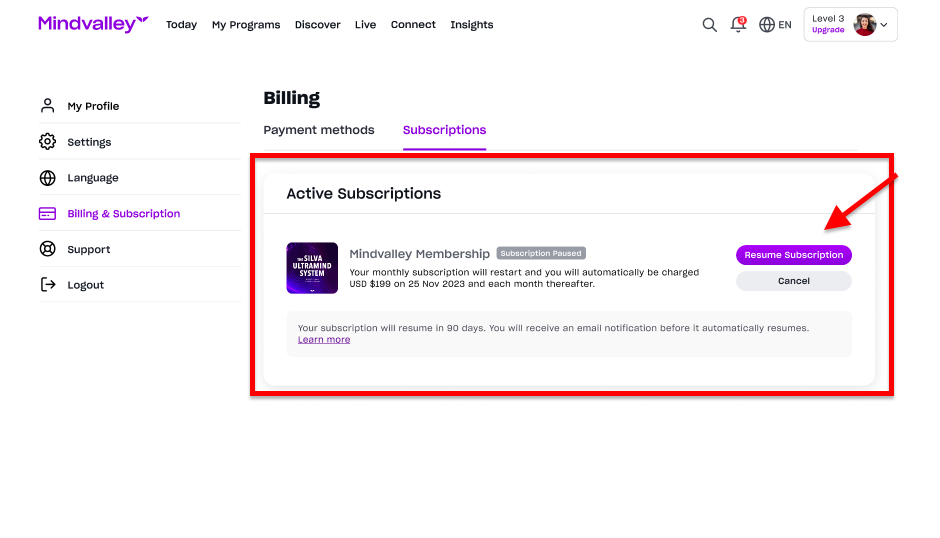
Everything you need to know about putting your subscription on hold.
This feature allows you to pause your subscriptions temporarily for up to 3 months, you will have the option to resume when you feel like it. At this time, only monthly subscriptions can be paused.
Here's how you can do it:
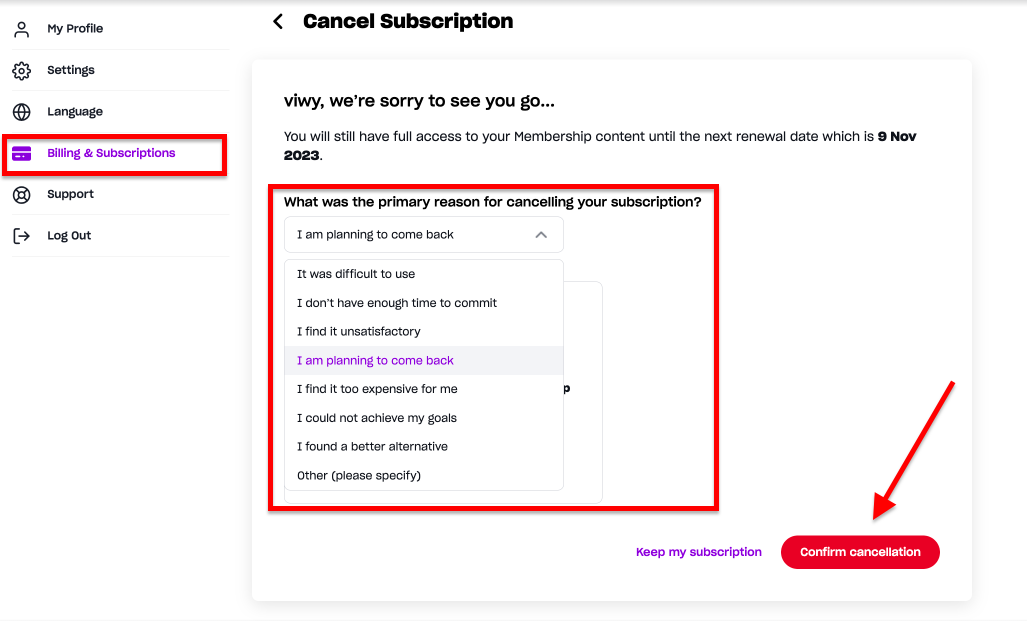
- Log into your Mindvalley Account.
- Click on your Profile Picture.
- Go to the Billing & Subscription
- Choose the option "I am planning to come back" for “cancelling your subscription”
- Then, click on "Confirm cancellation" button.
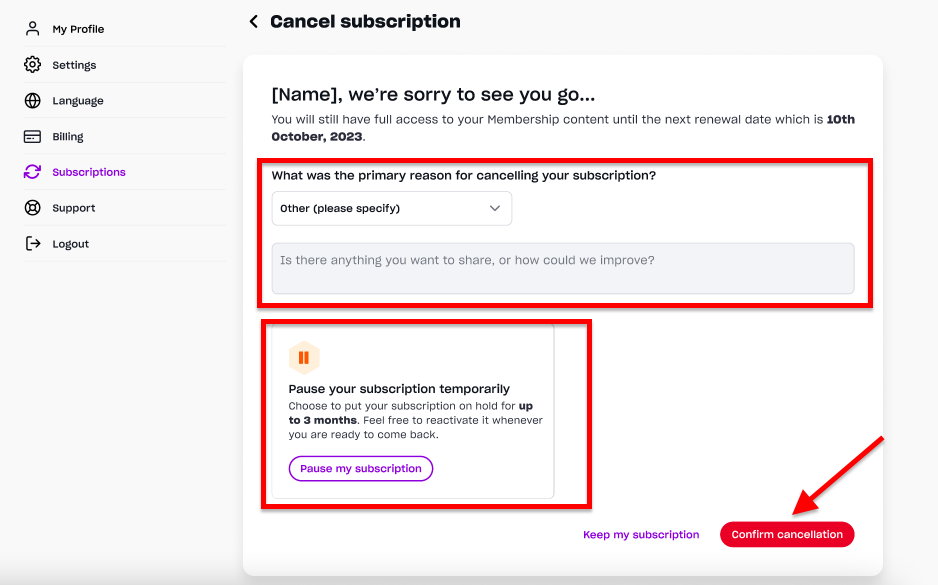
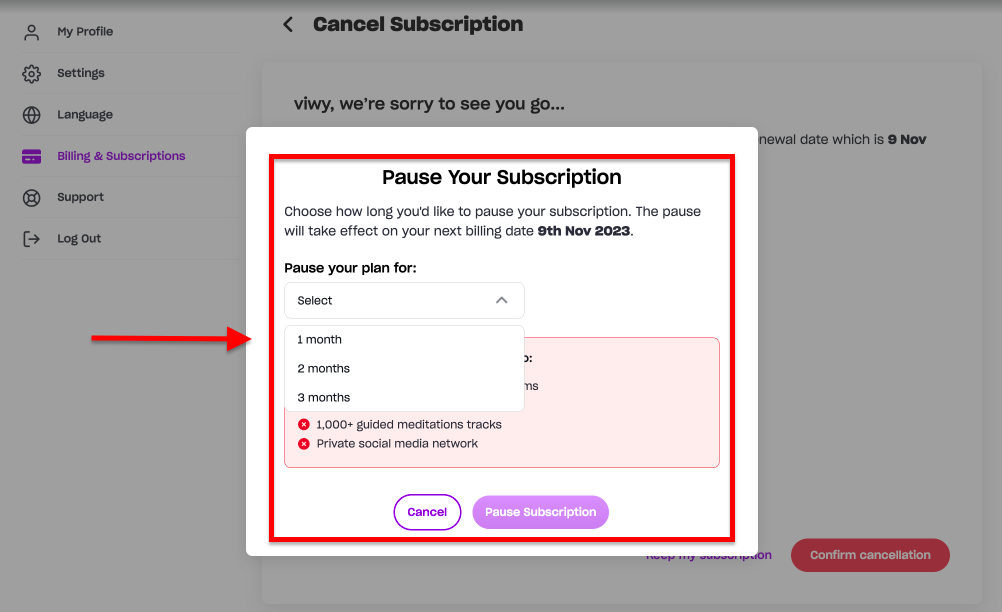
You can select the time frame you wish to pause your subscription. Once you have selected the time frame a confirmation message will pop up as shown below. Then you can click on "Confirm Pause"
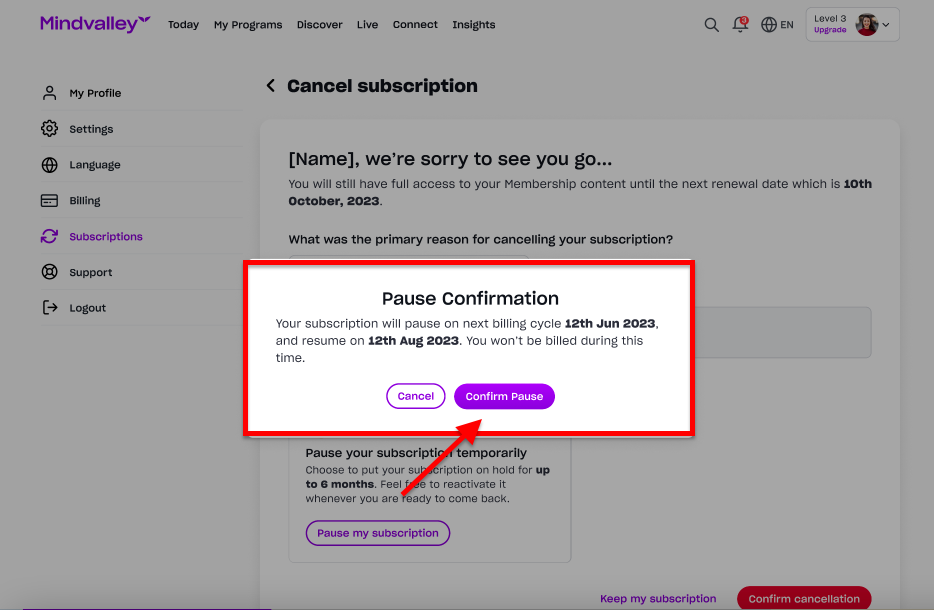
Once you have confirmed, it will show on your account as shown below: